
ZilaStar ICT
Feb 05 2019, 11:16:59
Category : Knowledge About Browsers
How to change default font in Mozilla Firefox
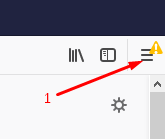
1. According to the picture, click three line button at the upper right corner and click Settings again.
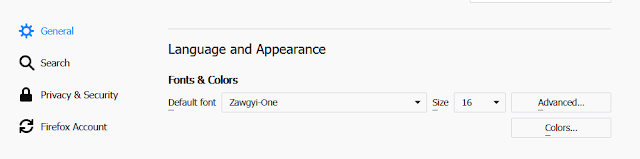
2. According to above picture, select the font you want to set as default font. If you want to see Zawgyi (Myanmar font) in browser, please select the Zawgyi-one. If you want to see Unicode (Myanmar font), please select pyidaungsu font.


Comments:
No comment.